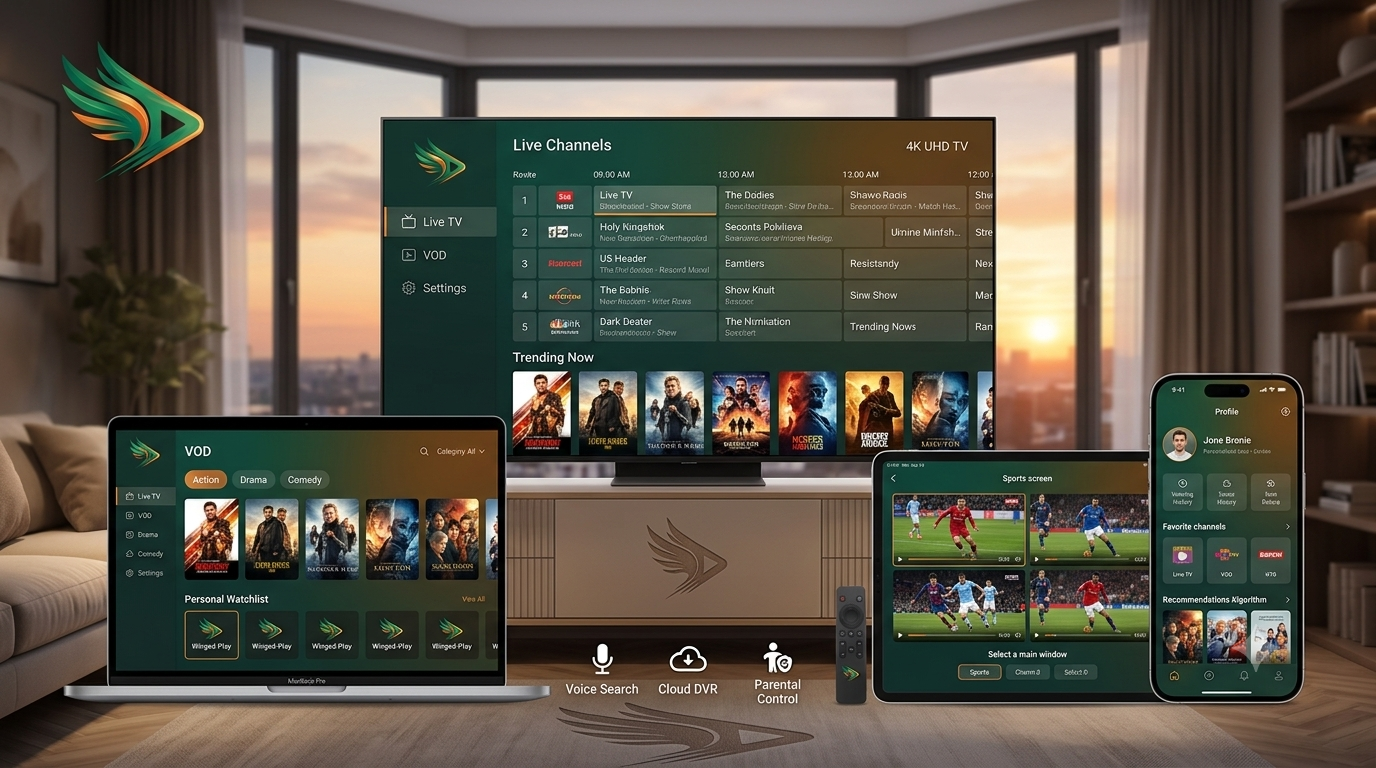
Millions of people across New Zealand, Australia, and the Pacific are cutting the cord. But before you dive in, one question comes up repeatedly: what is IPTV, and how is it different from everything else? This guide answers that question fully, covering how IPTV works, what is IPTV subscription, what is IPTV M3U playlist, what is IPTV ISP lock, and why NZ IPTV is the best IPTV provider in New Zealand, Australia, and the wider Pacific region.
01What Is IPTV?
IPTV stands for Internet Protocol Television. It is the delivery of television content, live channels, on-demand movies, and series, over your internet connection instead of through satellite, cable, or aerial antenna. With IPTV, only the content you actually request travels from the server to your screen. You select a channel or a film, and only that stream is delivered to your device, instantly, over your existing internet connection.
This is why IPTV is faster, more flexible, and significantly cheaper than satellite or cable TV in 2026. You are not paying for a bundle of 500 channels you never watch. You choose what streams, when it streams, and on which device. Learn more on Wikipedia →
02How Does IPTV Work?
NZ IPTV licenses 50,000+ channels & 150,000+ VOD titles from distributors worldwide
Streams are encoded on powerful servers with Oceania-optimised routing for NZ & AU
Your request travels to the server, stream returns to your device in under 2 seconds
Your IPTV player decodes and displays the stream in HD or 4K Ultra HD
Speed requirements: NZ IPTV recommends a minimum of 25 Mbps for HD and 50 Mbps for 4K. Test your connection at Speedtest.net before subscribing.
03What Is IPTV Subscription?
An IPTV subscription is your authenticated access to a provider's content library. When you subscribe to NZ IPTV, you receive a set of login credentials, a username, password, and server URL, that unlocks your account. Here is everything your subscription includes:
NZ IPTV subscription plans start from NZD $22.99 per month. A free 24-hour trial is available, no credit card required. Start your free trial →
04What Is IPTV Player?
Once you have your subscription credentials, you need an IPTV player, the application that connects to your subscription, loads your channel list, and plays the streams on your screen. Think of it as the remote control and screen combined.
Widely considered the best IPTV player for Android TV & Amazon Firestick. Supports EPG, multi-view, recording & catch-up.
tivimate.com ↗
Excellent for beginners. Available on Smart TVs, Fire TV, Apple TV, iPhone & iPad. Generous 30-day free trial.

Clean web-based setup portal. Available on most platforms. Simple MAC-address authentication process.
Available directly from major app stores without sideloading. Clean interface, easy setup for all skill levels.

Premium choice for Apple TV, iPhone, and iPad users. Native Apple design language with full NZ-IPTV support.

Free, open-source player for PC, Mac, iPhone & Android. Great for Xtream Codes testing and troubleshooting.
iptvsmarters.com ↗Step-by-step setup instructions for every player and device are available in our Complete Setup Guide →
05What Is IPTV M3U?
M3U is a playlist file format, a plain text list that tells your IPTV player where to find each channel's video stream. The name comes from MPEG version 3 URL. Your NZ-IPTV M3U URL looks like this:
http://server.nz-iptv.com:8080/get.php?username=YOURUSER&password=YOURPASS&type=m3u_plus
http:// and not https://. Some browsers auto-upgrade this and break your playlist.To learn more about the M3U file format, see the Wikipedia article on M3U →
06What Is IPTV ISP Lock?
IPTV ISP lock refers to deliberate traffic throttling or blocking applied by an Internet Service Provider to IPTV streams. Some ISPs, particularly in New Zealand, have at various points throttled traffic going to known IPTV server addresses, slowing down or interrupting streams even on fast connections.
- Streams buffer despite a fast speed test result
- Channels load slowly or time out while Netflix runs fine
- Quality drops specifically during peak evening hours
- Only IPTV streams are affected, not other video services
- Use a VPN: ExpressVPN, NordVPN, or Surfshark encrypt your traffic so your ISP cannot identify IPTV streams
- Switch to Ethernet: a wired connection significantly reduces the impact
- NZ IPTV servers: are specifically optimised for NZ & AU traffic to minimise ISP interference
How to identify ISP lock: Run a speed test at Speedtest.net. If your speed is fast but your IPTV streams still buffer, ISP throttling is a likely cause.
07Why NZ IPTV is the Best IPTV Provider
The only provider that builds its library around Kiwi and Australian viewers. NZ channels, Sky Sport NZ, AU free-to-air, and Pacific regional content — all included.
Most providers route through Europe or the USA. NZ IPTV operates Oceania-optimised servers for lower latency and stable 4K on Southern Hemisphere broadband.
NZD $22.99/month for 50,000+ live channels and 150,000+ VOD. Sky Sport Now charges $49.99 for partial sports coverage only.
Smart TV, Firestick, Apple TV, Samsung TV, iPhone, iPad, Android, PC, Mac. All covered under a single plan. No extra fees, no device limits.
WhatsApp support around the clock, including during live matches. Real people, most issues resolved under 10 minutes. No chatbots.
Full 24-hour free trial, no credit card, no commitment. Test every channel, every device, every feature. If you're not satisfied, you owe nothing.
Build your own IPTV business in NZ or AU. Competitive credit packs, USD pricing, and full reseller dashboard. View Reseller Programme →
The Price Comparison — Side by Side
| Service | Price / Month | Live Channels | VOD | 4K | All Devices |
|---|---|---|---|---|---|
| NZ-IPTV | NZD $22.99 | 50,000+ | 150,000+ | ✓ | ✓ |
| Sky Sport Now | NZD $49.99 | Selected only | Limited | Limited | 3 devices |
| Netflix Standard | NZD $22.99 | None | Limited | Yes | 2 devices |
| TVNZ+ | Free | Very limited | NZ only | ✗ | Yes |
08Quick Reference — Everything Answered
http://.You Know What IPTV Is.
Now Experience It.
NZ IPTV is the best IPTV provider for New Zealand, Australia, and the Pacific. 50,000+ live channels, 150,000+ VOD titles, 4K Ultra HD, local-first content, Oceania-optimised servers, and a free 24-hour trial that requires no credit card.
Start Free Trial View All PlansWhat Is IPTV — Wikipedia · M3U Format — Wikipedia · VLC Media Player · TiviMate Official Site · Speedtest.net
Published by the NZ-IPTV Editorial Team · Updated June 2026 · All prices in NZD unless stated.