


Best Streaming Devices in NZ : 2024 Buying Guide
Whether you're interested in sports channels, movies, news, or PPV events, the IPTV box plugged into your TV makes a bigger difference than most people realise. We compared three of the most popular streaming devices available in New Zealand. the Fire TV Stick 4K Max, NVIDIA Shield TV Pro, and Apple TV 4K across performance, app support, and value, so you can pick the right one that fits your needs.
💡 Quick take: Fire TV Stick 4K Max is the best value pick, NVIDIA Shield TV Pro is the most powerful, and Apple TV 4K is the best choice if you're already using an iPhone or iPad.
Why choosing the best IPTV box nz matters
Trying to buy the best IPTV box in New Zealand? Most people pick a streaming device based on price alone and think that a pricier device is always a better one. But the hardware inside the box determines how well it handles 4K HDR video, how quickly apps load, and how smoothly your remote responds. A weak processor or outdated Wi-Fi chip will bottleneck even a great internet connection.
A small device can be hidden behind the TV, is portable, and you can take it with you wherever you go. In contrast, a bigger device needs to be placed and fixed in one spot, with less decorative style.
1 — Amazon Fire TV Stick 4K Max

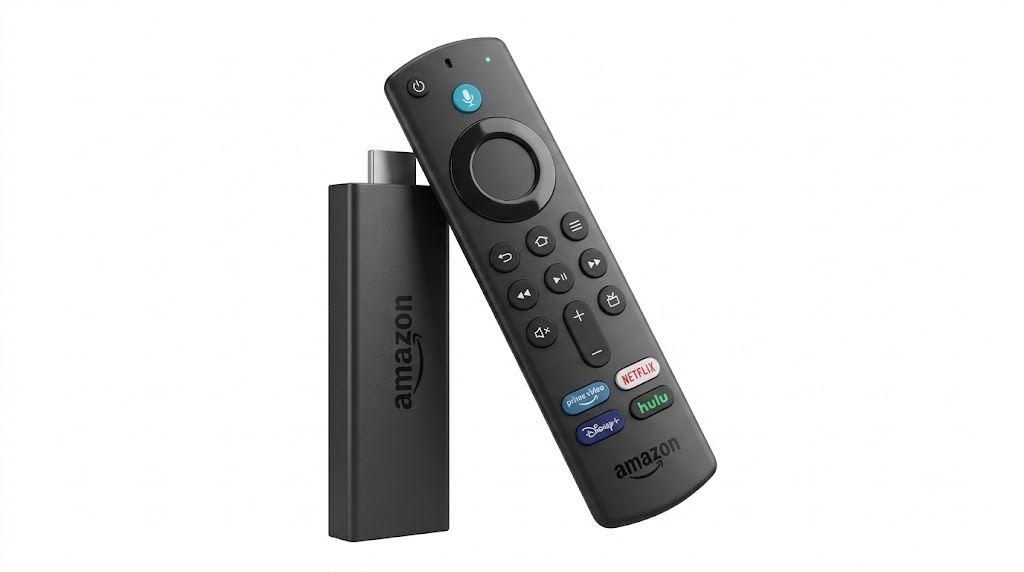
The Fire TV Stick 4K Max is considered the best IPTV box nz, with a faster processor, more RAM, and Wi-Fi 6E support. It runs Fire-OS (based on Android), so it gives you access to the most well-known IPTV apps available on the Amazon Appstore or through sideloading using the Downloader app. Setup takes under 10 minutes, even for first-time or non-techy users.
- Best value of the three devices
- Wi-Fi 6E reduces buffering
- 4K Dolby Vision + Atmos support
- Easy, beginner-friendly setup
- Alexa voice remote included
- Small device, hidden behind the TV
- No Ethernet port (Ethernet adapter needed)
- Fire OS can feel locked-down
- Less powerful than Shield or Apple TV
- Ads appear on the home screen
- Multiple look‑alike devices that aren’t compatible
- May be updated to the VEGA-OS system, blocking all sideloading sources
| Processor | MediaTek MT8696T (Quad-core, 2.0 GHz) |
| RAM | 3 GB |
| Storage | 16 GB |
| Video Output | 4K Ultra HD, HDR10+, Dolby Vision, HLG |
| Audio | Dolby Atmos, Dolby Digital Plus |
| Wi-Fi | Wi-Fi 6E (tri-band) |
| Connectivity | HDMI 2.1, USB-C power |
2 — NVIDIA Shield TV Pro

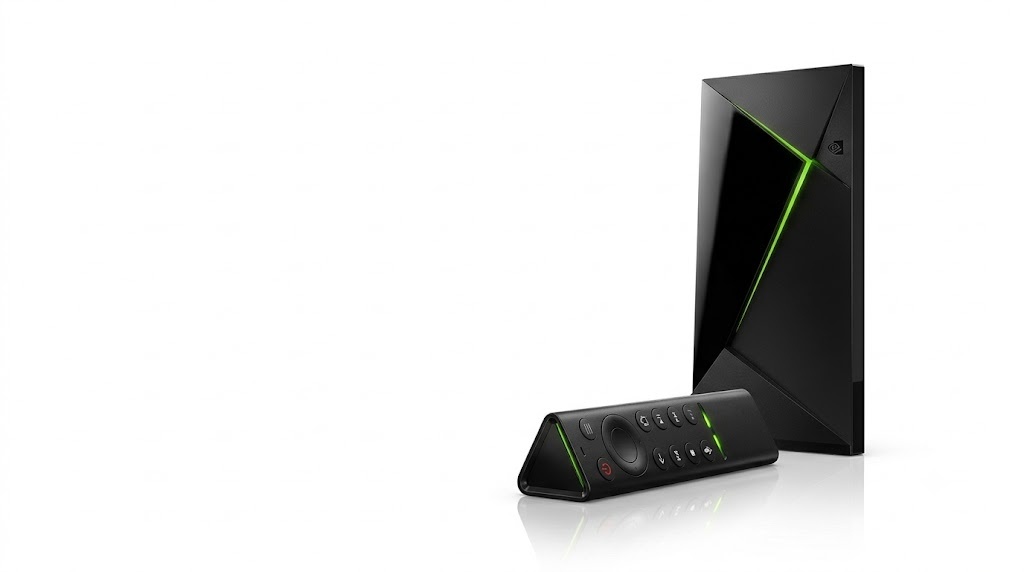
The Shield TV Pro like all NVIDIA products, is the most powerful device you can get, with the Tegra X1+ chip. It runs Google TV with full access to the Play Store, supporting all sideloading from the Downloader app, so you can pick the IPTV player you like without hesitation. Its standout feature is AI upscaling, which sharpens lower-resolution content in real time, making older shows and SD broadcasts look noticeably better on a 4K TV. It also includes Gigabit Ethernet, two USB 3.0 ports, and a microSD slot for expandable storage.
- Most powerful device on this list
- AI upscaling improves lower-res content
- Gigabit Ethernet built-in
- Full Google Play Store access
- USB 3.0 + expandable storage
- Premium price (~$300 NZD)
- Overkill for casual viewers
- Older Wi-Fi 5, not Wi-Fi 6
- Bulky remote design
| Processor | NVIDIA Tegra X1+ (Octa-core) |
| GPU | 256-core NVIDIA Maxwell |
| RAM | 3 GB |
| Storage | 16 GB + expandable via USB/microSD |
| Video Output | 4K HDR, Dolby Vision, HLG, HEVC |
| Audio | Dolby Atmos, DTS-X, 7.1 surround |
| Connectivity | Gigabit Ethernet, 2× USB 3.0, microSD |
| Wi-Fi | Wi-Fi 5 (AC) |
3 — Apple TV 4K

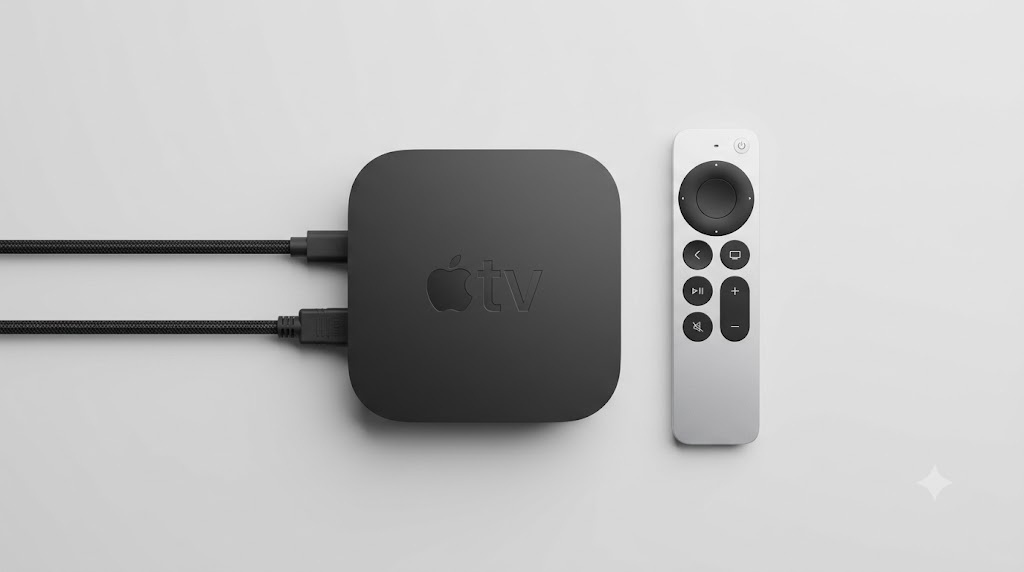
The Apple TV 4K runs on the A15 Bionic chip and is highly recommended for iOS device users, offering seamless integration AirPlay lets you push video straight from your phone, and HomeKit support ties it into your smart home setup. It supports 4K at up to 120fps over HDMI 2.1. The only limitation is the smaller app library compared to Android TV, since tvOS only allows App Store apps.
- Fastest, smoothest interface of the three
- Most secure and private streaming experience
- 4K@120fps HDMI 2.1 output
- Wi-Fi 6 + optional Gigabit Ethernet
- Seamless iPhone/iPad/Mac integration
- AirPlay and HomeKit support
- Smaller app library than Android TV
- No sideloading or alternative app stores
- Most expensive of the three
- Ethernet requires a separate adapter
| Chip | Apple A15 Bionic |
| RAM | 4 GB |
| Storage | 64 GB / 128 GB |
| Video Output | 4K HDR, Dolby Vision, HLG, 4K@120fps |
| Audio | Dolby Atmos, Spatial Audio |
| Connectivity | Gigabit Ethernet (with adapter), HDMI 2.1 |
| Wi-Fi | Wi-Fi 6 (802.11ax) |
The best IPTV box nz Side-by-Side Comparison
Here's a quick overview comparing all three devices on the things that matter most for everyday streaming.
| Feature | Fire TV Stick 4K Max | NVIDIA Shield Pro | Apple TV 4K |
|---|---|---|---|
| Price (NZD) | ~$129 | ~$300 Check in‑store | ~$525 |
| Processor | MT8696T Quad-core | Tegra X1+ Octa-core | Apple A15 Bionic |
| 4K / HDR | ✓ Dolby Vision | ✓ Dolby Vision | ✓ Dolby Vision + 120fps |
| Ethernet | — (adapter needed) | ✓ Built-in | — (adapter needed) |
| Wi-Fi | Wi-Fi 6E | Wi-Fi 5 | Wi-Fi 6 |
| App Store | Amazon Appstore | Google Play Store | Apple tvOS App Store |
| sideloading | ✓ Apps from unknown sources | ✓ Direct download | ✗ |
| AI Upscaling | ✗ | ✓ NVIDIA AI | ✗ |
| Best For | Budget-conscious buyers | Power users / home cinema | Apple ecosystem households |
How to Choose the best iptv box nz
There's no single "best IPTV box nz" that suits every home, but the right choice becomes clear once you identify your top priority.
It covers all the essential needs, including 4K streaming, Dolby Vision, and fast Wi-Fi 6E and allowing you to download apps from unknown sources using the Downloader sideloading app, so you can use any player you like all at a reasonable cost.
The Shield's AI upscaling is genuinely unmatched. As AI is the future and NVIDIA is excelling in this area, picking the Shield box is the best choice for years to come.
AirPlay, Siri, and HomeKit integration make it feel like a natural extension of the devices you already own, and the snappy interface is hard to go back from once you're used to it. Also, the sideloading limitation is not a real weakness, as there are many powerful IPTV players on the App Store.
⚠️ Note: App availability and pricing can change over time, and not every streaming service is available on every platform. Always check the relevant app store listing for current compatibility before buying.
Wired vs Wireless Connection
For the most stable streaming experience, a wired Ethernet connection is always preferred over Wi-Fi. Of the three devices, only the NVIDIA Shield has Gigabit Ethernet built in, while both the Apple TV and Fire TV Stick need a separate adapter. That said, with a solid Wi-Fi 6 or 6E connection, all three devices will deliver smooth 4K streams in most NZ homes on a Fibre 100 plan or better.


Great content! Keep up the good work!