IPTV on Firestick:
3 Powerful Steps for
Instant streaming
Getting IPTV on Firestick is one of the quickest ways to transform your Amazon Fire TV Stick into a complete streaming powerhouse. Whether you own a Firestick 4K, Firestick 4K Max, or a standard Fire TV Stick, this step-by-step guide covers everything, from enabling unknown sources to configuring HotPlayer, IBO Player Pro, SmartOne IPTV, and TiviMate with your NZ IPTV subscription. In 2026, IPTV on Firestick remains the most popular and affordable way for Kiwi households to access NZ IPTV generous 50,000+ live channels and 150,000+ VOD title.
STEP 1Enable Apps from Unknown Sources
In certain regions, Amazon Firestick does not permit direct installation of IPTV apps from the Amazon App Store. You must enable Apps from Unknown Sources first to sideload players via the Downloader app.
Follow these steps exactly to unlock sideloading on your Firestick, a mandatory first step before installing any IPTV Player on Firestick player:
Turn on your Firestick and navigate to the Home Screen. Select the Settings menu (gear icon on the far right of the top bar), Open My Fire TV → click 7 times on Fire TV Stick to Unlock Developer Options.
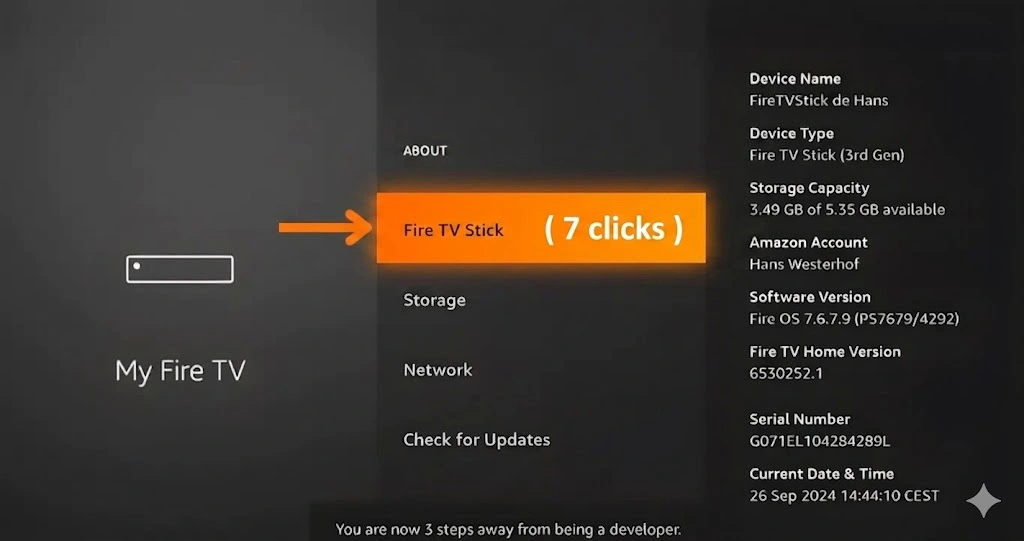
Now you have become a developer. Press Back and select Developer Options.
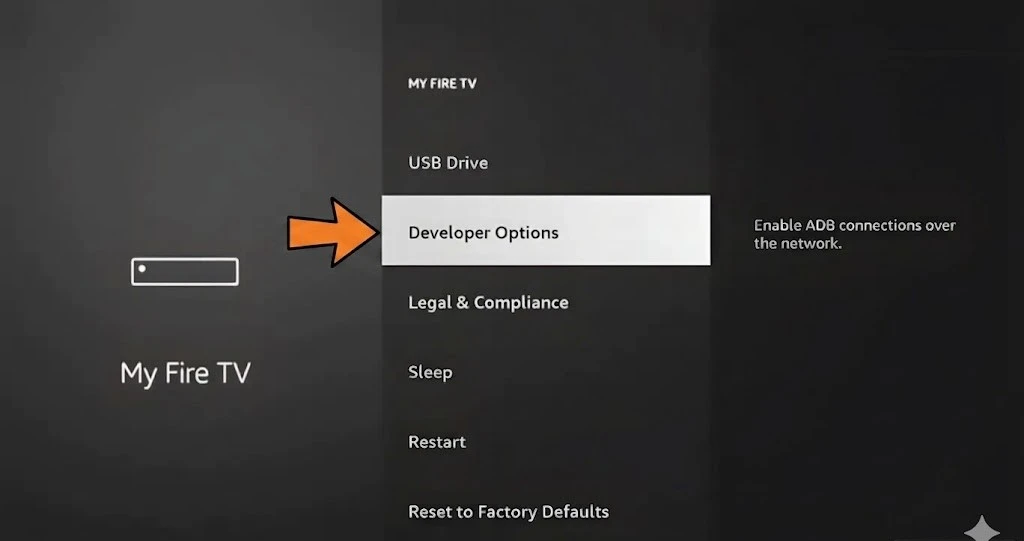
Inside Developer Options, toggle Apps from Unknown Sources → ON. Confirm the warning by selecting Turn On.
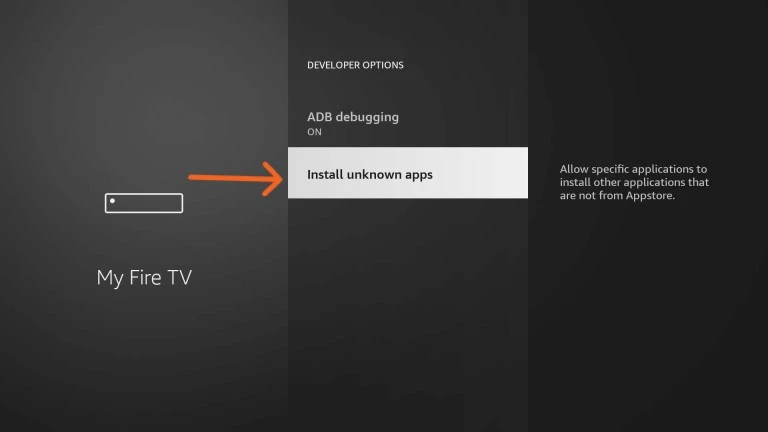
You only need to do this once. The setting stays enabled permanently until you reset your device. For a detailed breakdown see Fire OS on Wikipedia or AFTVnews.
STEP 2Install the Downloader App
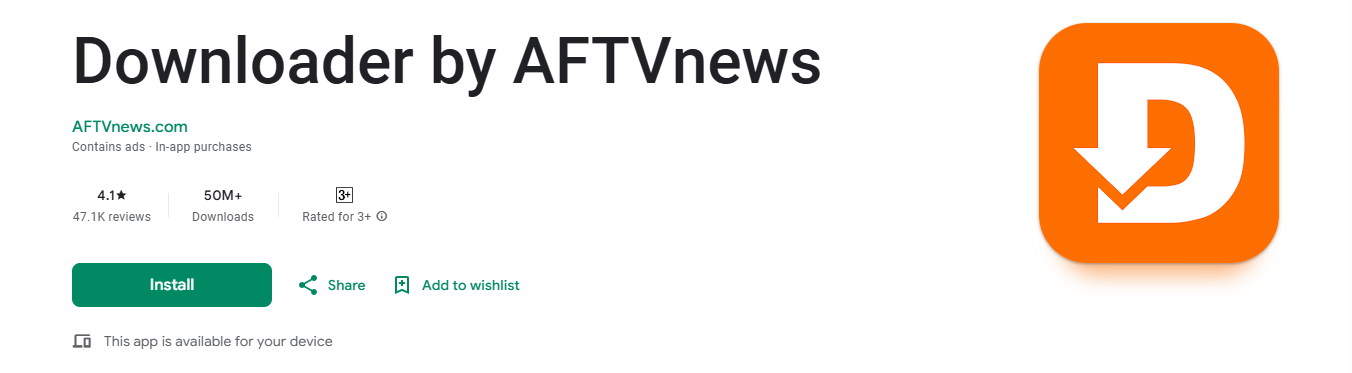
The Downloader app is the bridge that lets you install any IPTV player onto your Firestick using a simple numeric code. It's available directly from the Amazon App Store.

Press the Home button on your remote.
Select the Search icon at the top. Type Downloader and select Downloader by AFTVnews.
Click Download / Install. Once installed, open the Downloader app to download APK files using a short numeric code.
STEP 3Download Your IPTV Player
Open the Downloader app and enter the code for your chosen player, then click Go. The APK downloads and installs automatically.
Not sure which to pick? HotPlayer is the easiest for beginners (30-day free trial). TiviMate is the most feature-rich for power users. See what people say in the r/TiviMate community.
1 - HotPlayer by STE DIGI VIBES

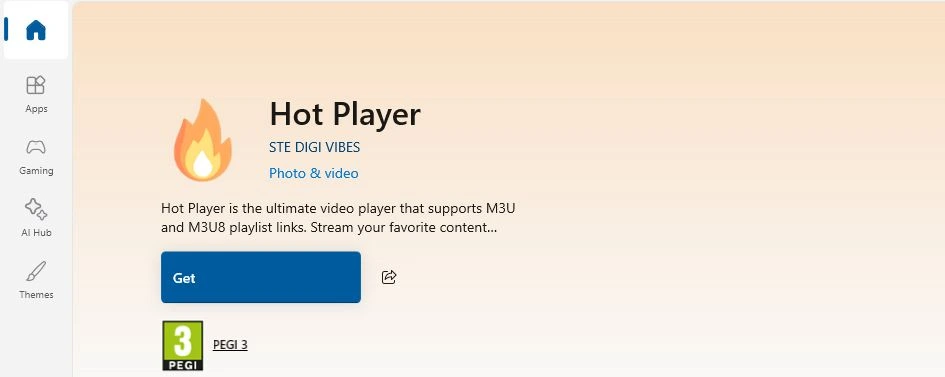
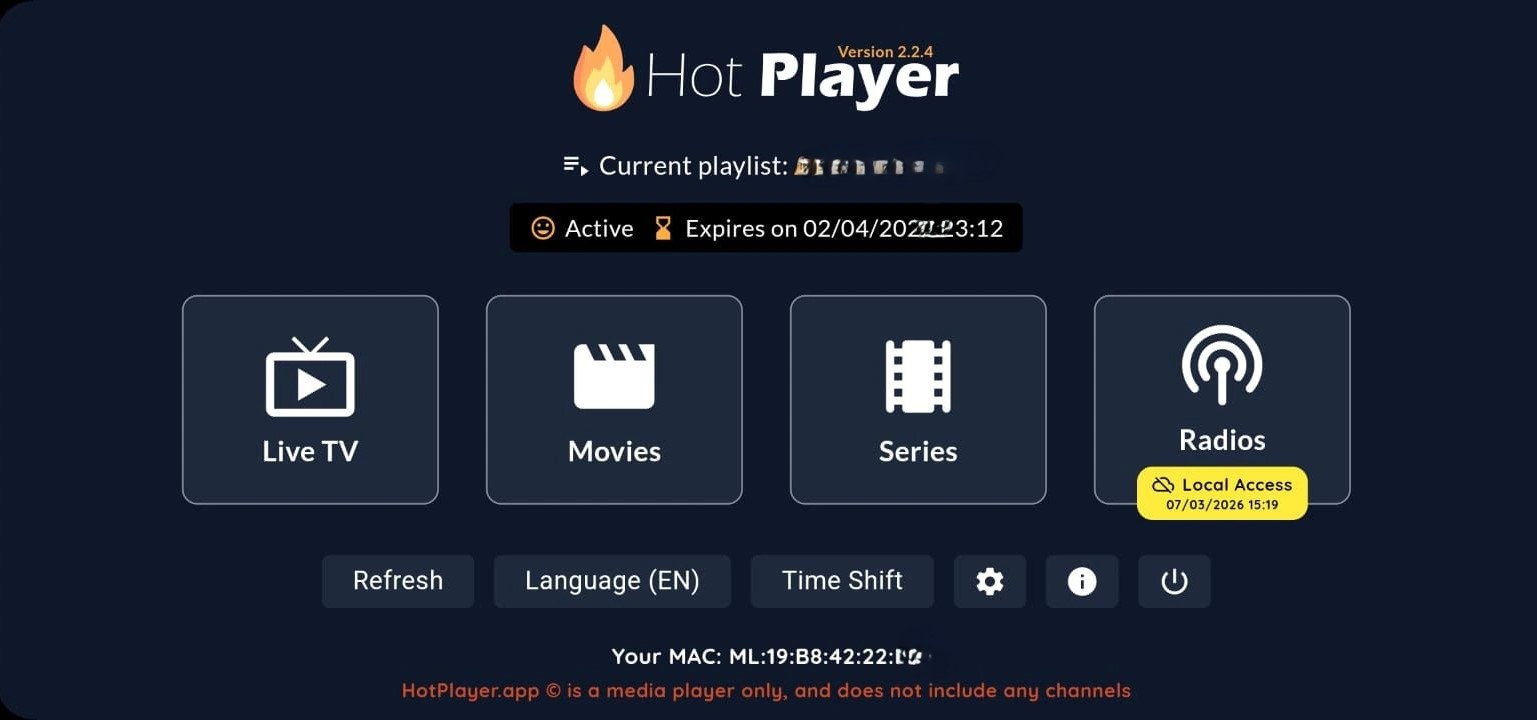
Launch HotPlayer on your Firestick and note down the MAC address on the main screen.
On your phone or computer, go to hotplayer.app/upload.
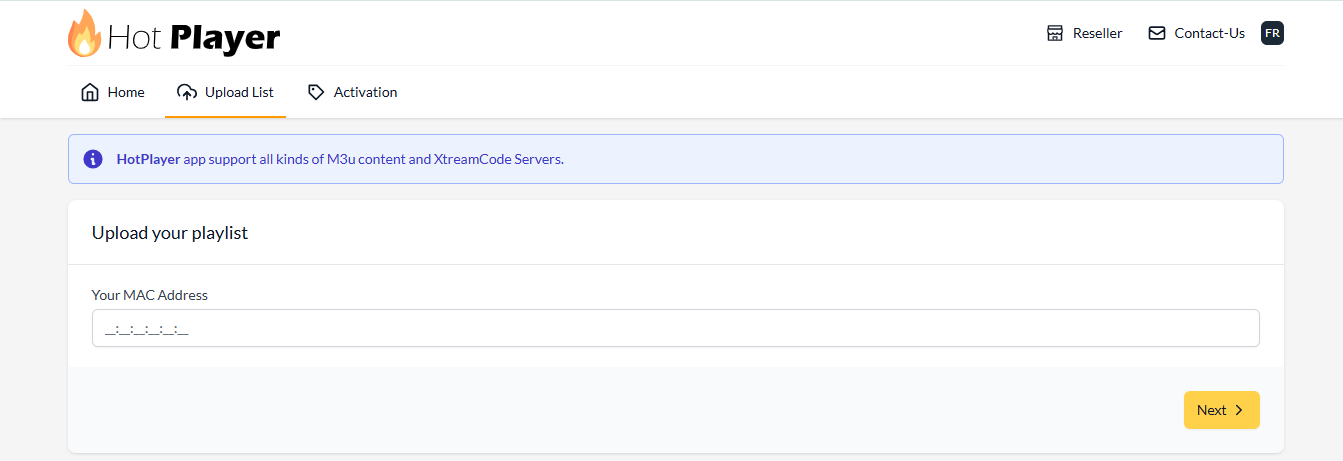
Enter your MAC address, press NEXT, and paste your M3U Playlist URL.
http:// — not https://. Always double-check.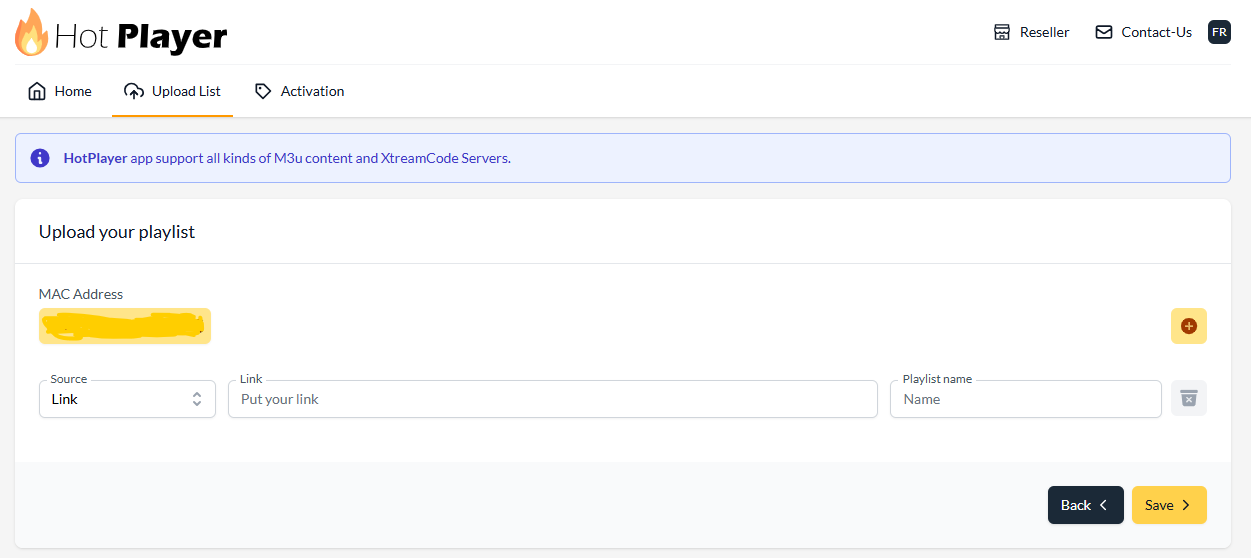
Click Save. Restart HotPlayer on your Firestick. Your channels and VOD library appear automatically.
IBO Player Pro — Firestick Setup

Open IBO Player Pro and note both the MAC address and Device Key.
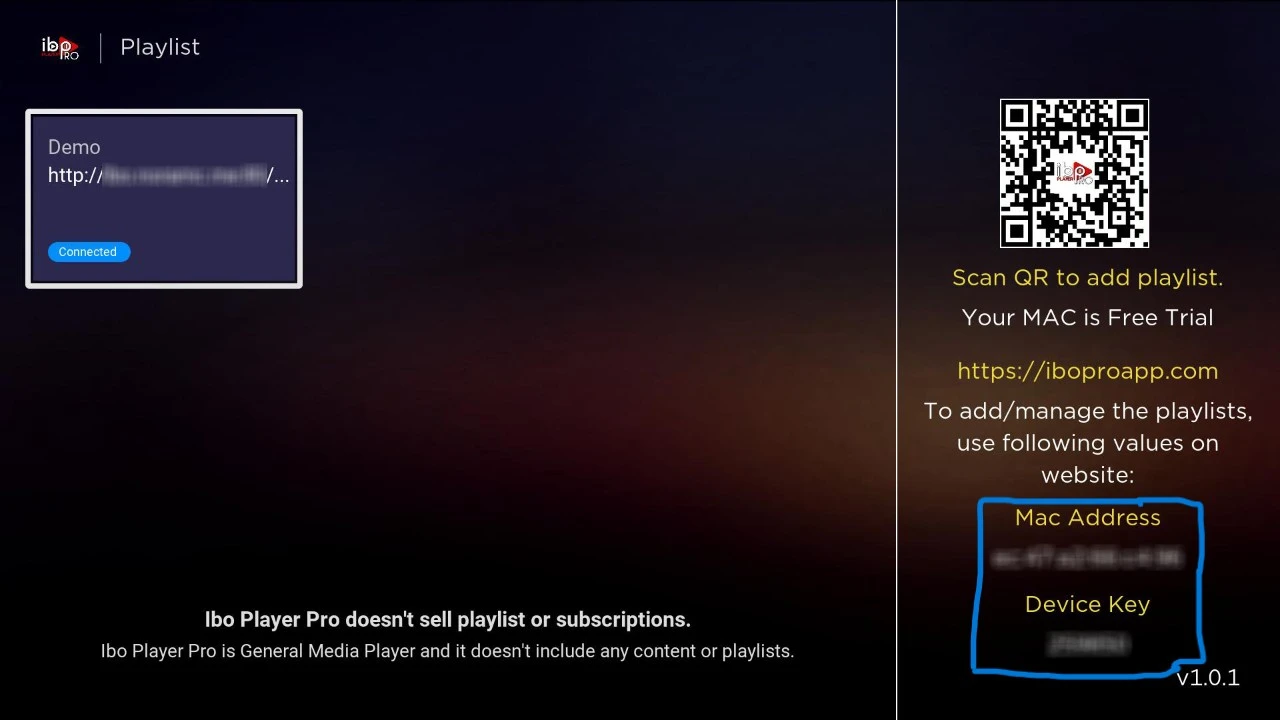
Visit iboplayer.pro. Enter your MAC address and Device Key.
Click "Add Playlist" and paste the M3U URL.
http:// not https://.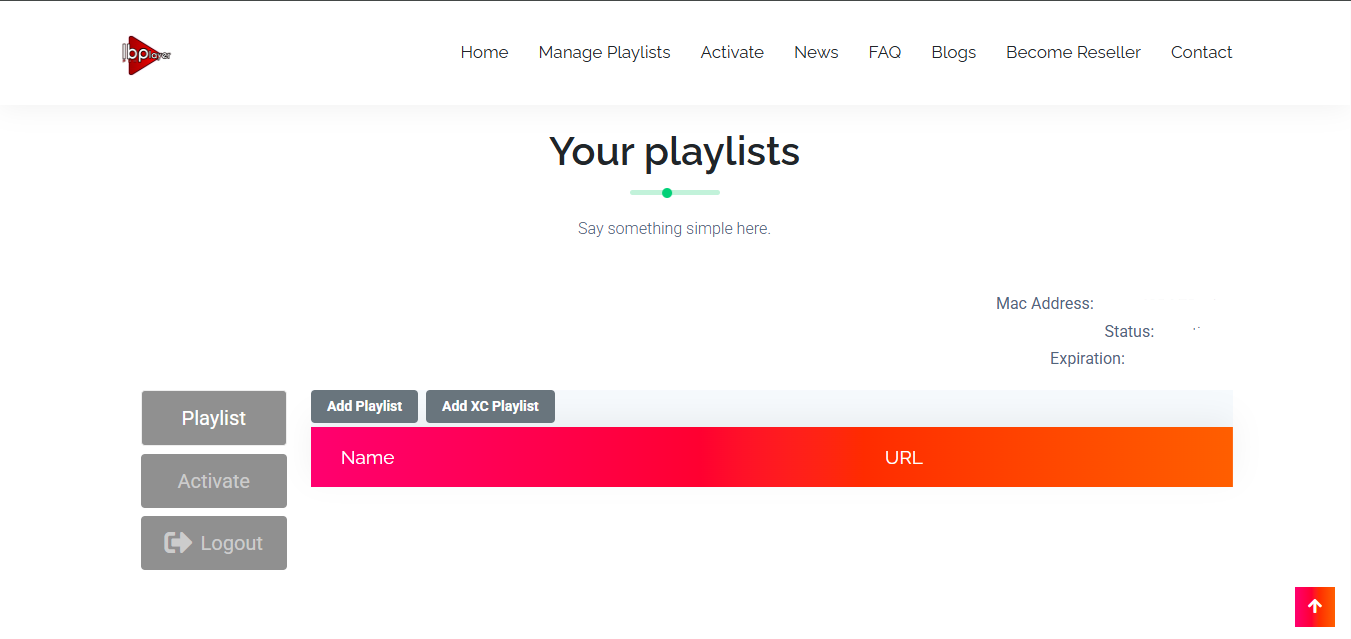
Restart the app. Channels and VOD load automatically.
SmartOne IPTV — Firestick Setup

Search for SmartOne IPTV in the Amazon Appstore and install directly — no downloader code needed.
Launch SmartOne IPTV, go to Settings and note your unique MAC address.
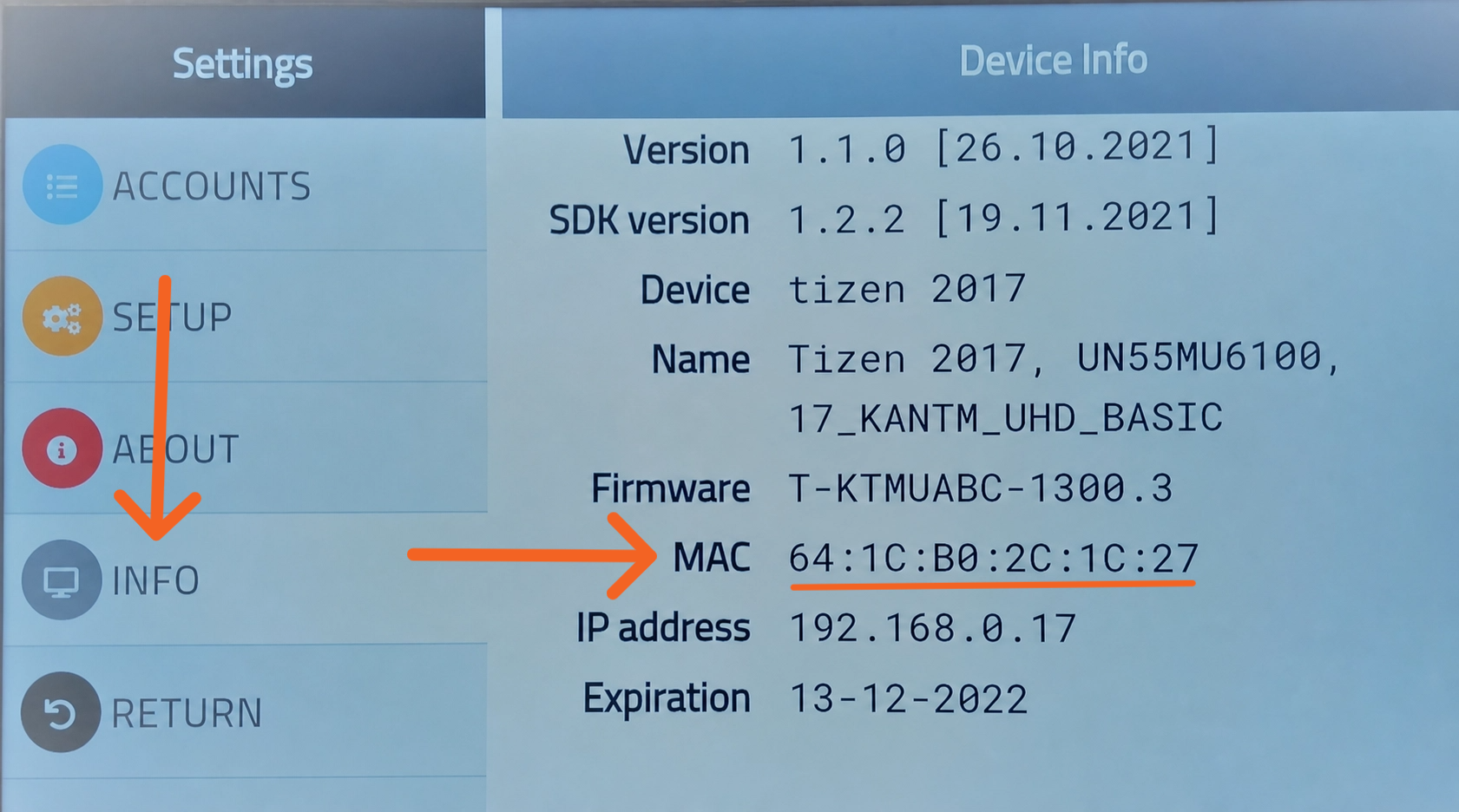
Go to smartone-iptv.com. Choose M3U Playlist, enter your MAC, paste your NZ IPTV URL.
http:// — not https://.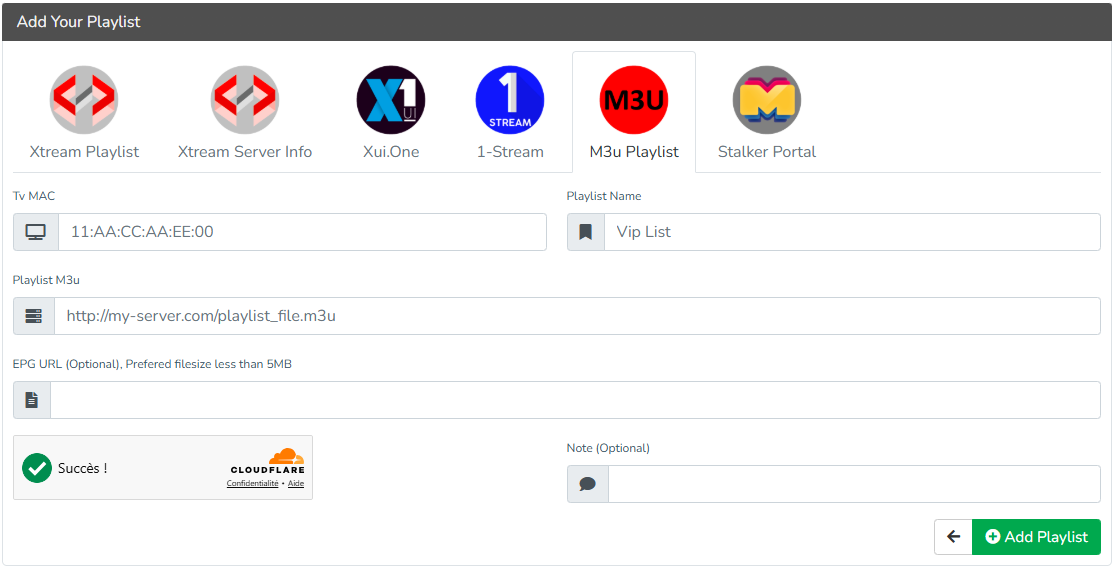
Channels and movies appear automatically.
TiviMate — Firestick Setup (Power Users)


TiviMate is the most feature-rich IPTV player for IPTV on Firestick, offering EPG support, multi-view, catch-up, recording, and a beautiful modern UI. Compatible with Firestick 4K, 4K Max, and 2nd generation or newer Fire TV Sticks (minimum 1.5 GB RAM, 8 GB storage).
| Feature | Description |
|---|---|
| ✓ EPG Support | Full Electronic Programme Guide |
| ✓ Multiple Playlists | Manage different IPTV providers in one place |
| ✓ Catch-Up & Recording | Access previously aired content and record live TV (premium) |
| ✓ Multi-View | Watch multiple channels simultaneously (premium) |
| ✓ Parental Controls | Restrict access to selected content categories |
| ✓ Favourites & Groups | Build custom channel lists with one-tap access |
Open Downloader, enter 272483 and tap Go. Install the APK when prompted.
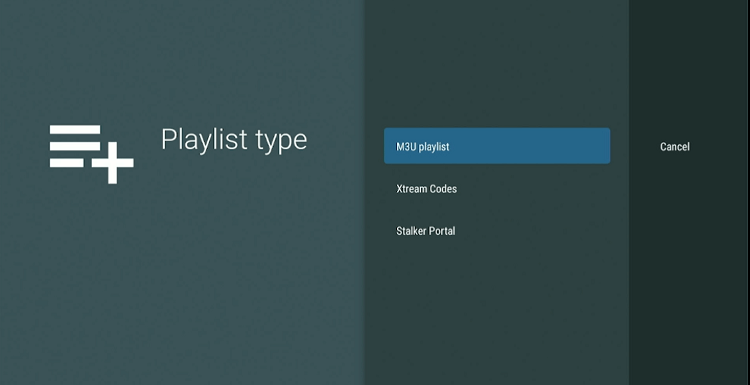
Launch TiviMate, tap Add Playlist, and select Xtream Codes Login.
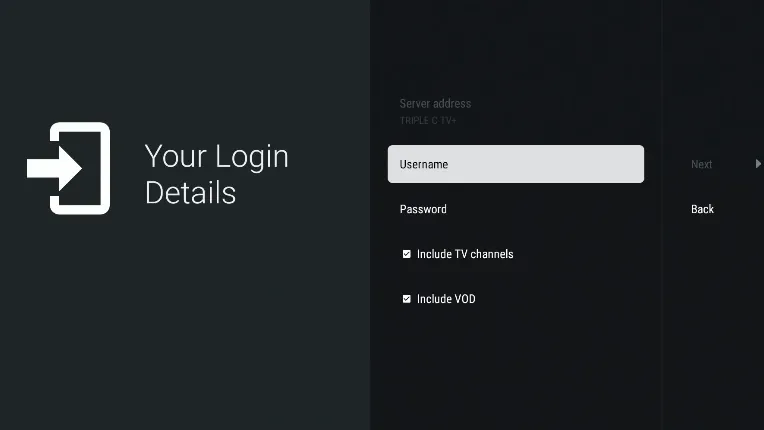
Fill in: Server URL, Username, and Password from NZ IPTV. Enable Include VOD.
Tap Done. TiviMate loads all channels — Live TV, Movies & Series, TV Guide, and Settings.
Important Note :
The players listed above are our top recommendations, but they are by no means your only options. all stores offer a wide variety of IPTV players that are fully compatible with your NZ IPTV subscription,
The setup process is the same across most players. Simply download your preferred player, navigate to the add playlist or add account section, and enter your Xtream Codes credentials (Server URL, Username, and Password) or paste your M3U URL exactly as described in the guides above. Most modern IPTV players follow the same standard login flow, so switching between apps is quick and straightforward.
However, some IPTV players may use slightly different terminology or request additional information such as an EPG URL, a portal URL, or a MAC address. If you ever come across a login screen that looks unfamiliar or requests credentials you don’t have, do not worry about that, simply reach out to our support team via WhatsApp or Email and we will walk you through all the necessary steps.