Menu
Contact Us Free Trial
What is IPTV & How Does It Work? Complete Guide 2026 | NZ IPTV
what is iptv guide

What is IPTV &
How Does It Work?
Complete Guide 2026

Updated: June 2026
10 min read
NZ IPTV Team
what is iptv

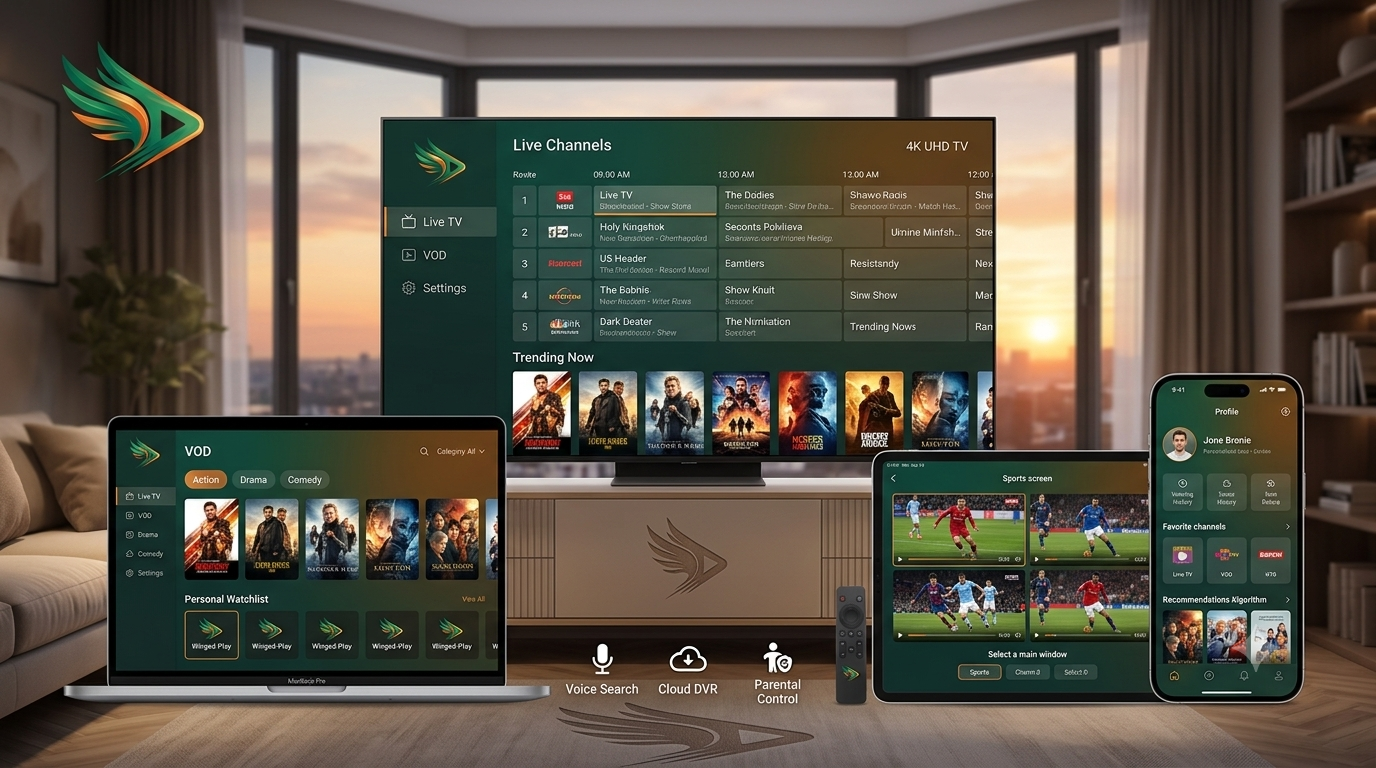
IPTV (Internet Protocol Television) delivers live TV channels, movies, series, and on‑demand content directly through your internet connection, no satellite dishes, no cable boxes, no long‑term contracts. Instead of traditional broadcast signals, IPTV streams video in small packets over broadband networks, allowing you to watch exactly what you want, when you want, on almost any device: Smart TV, smartphone, tablet, laptop, or dedicated IPTV set‑top box like the MAG Box or Formuler.

60K+ Live Channels
180K+ Movies & Series
4K/8K Ultra HD Quality
100% Device Compatible
What is IPTV & How Does It Work? Complete 2026 Guide | NZ IPTV
What is IPTV and How Does It Work — NZ IPTV Complete 2026 Guide

Millions of households across New Zealand, Australia, and the Pacific have already cut the cord. But before you make the switch, one question keeps coming up: what is IPTV, and why is it completely different from traditional satellite or cable TV? This in‑depth 2026 guide explains everything, how IPTV works, what an IPTV subscription includes, what is an M3U playlist, what is an ISP lock, and why NZ IPTV is the best IPTV provider for Kiwi and Australian viewers.

01What Is IPTV? — The Modern Way to Watch TV

TRADITIONAL TV Satellite / Cable One Direction Every household gets the same broadcast VS IPTV NZ IPTV Server Smart TV Phone PC / Mac Stream what you want whenever you want

IPTV stands for Internet Protocol Television. Instead of receiving a fixed broadcast signal through a satellite dish or coaxial cable, IPTV delivers video content as small data packets over your existing internet connection. When you select a channel or movie, only that specific stream travels from the server to your screen. No waste, no forced bundles, no hardware rental fees. IPTV on MAG Box, Firestick, Smart TV, or smartphone puts you in complete control.

This is why IPTV has exploded in popularity across New Zealand and Australia in 2026: it's faster, more flexible, and dramatically cheaper than legacy pay‑TV services. You only pay for what you actually watch, and you can watch it on any screen in your home (or on the go). Learn more on Wikipedia (what is IPTV) →

02How Does IPTV Work? Four Simple Steps

Step 01
Content Acquisition

NZ IPTV licenses 50,000+ live channels and 150,000+ VOD titles from global distributors

Step 02
Encoding & Storage

Streams are encoded in 4K/HD on Oceania-optimised servers for low latency in NZ & AU

Step 03
Internet Delivery

Your request travels to the server, the stream returns to your device in under 2 seconds

Step 04
Decoding & Display

Your IPTV player decodes the stream and displays it in stunning 4K Ultra HD

Speed requirements for smooth IPTV: NZ IPTV recommends a minimum of 25 Mbps for HD and 50 Mbps for 4K. Always test your connection at Speedtest.net before subscribing. Wired Ethernet provides significantly better stability than Wi‑Fi.

03What Is IPTV Subscription? Everything Included

An IPTV subscription is your authorised access to a provider's entire content library. When you subscribe to NZ IPTV, you receive a username, password, and server URL that unlocks your account across all your devices. Here is exactly what your NZ IPTV subscription includes:

55,000+ Live Channels
NZ · AU · Sky Sport · Global
Local Kiwi channels, Sky Sport NZ, Australian free‑to‑air, international news and entertainment
180,000+ VOD Titles
Movies · Series · Documentaries
Massive on‑demand library, updated weekly with new releases and classic favourites
Full EPG Guide
Electronic Programme Guide
Complete TV schedule — what's on now and what's coming up on every channel
4K Ultra HD
Full HD · HD · 4K on supported channels
Stream in the highest available resolution, automatically adjusted to your bandwidth
Unlimited Devices
One subscription, your whole household
Smart TV, Firestick, iPhone, iPad, Android, PC, Mac — all covered under a single plan
24/7 Local Support
Real people · Under 10 min response
NZ‑based WhatsApp support available around the clock, even during live matches

NZ IPTV subscription plans start from NZD $22.99 per month. A free 24-hour trial is available, no credit card required. Start your free trial →

04What Is IPTV Player? Choose Your App

An IPTV player is the application that connects to your subscription, loads your channel list, and plays streams on your screen. Think of it as the remote control and screen combined. Here are the most popular players for NZ IPTV subscribers:
TiviMate Best for Firestick

Premium player for Android TV & Amazon Firestick. Supports EPG, multi‑view, recording, and catch‑up.

tivimate.com ↗

HotPlayer 30-day trial

Excellent for beginners with a smooth, easy interface. Available on Smart TVs, Fire TV, Apple TV, iPhone, and iPad.

Hotplayer.app ↗

IBO Player Pro 7-day trial

Clean, web‑based setup portal with MAC‑address and Device Key authentication, available for all devices.

iboplayer.pro ↗
SmartOne IPTV 15-day trial

Available directly from major app stores without sideloading. basic interface for all skill levels.

SmartOne-IPTV.com ↗

IPTVX Apple Only

Premium choice for Apple TV, iPhone, and iPad users. Native Apple design language.

IPTVX.app ↗

IPTV Smarters Pro Free

Free player for PC, Mac, iPhone & Android. Great for testing Xtream Codes and troubleshooting.

iptvsmarters.com ↗

Step‑by‑step setup instructions for every player and device are available in our Complete Setup Guide →

05What Is IPTV M3U? The Playlist Explained

CH_001.ts CH_002.ts VOD_001.ts SERVER .M3U PLAYLIST #EXTM3U #EXTINF:-1,Channel 1 http://server/ch1.ts YOUR PLAYER 4K LIVE STREAM YOUR TV PLAYLIST FILE APP OUTPUT

M3U (MP3 URL) is a playlist file format — a plain text list that tells your IPTV player exactly where to find each channel's video stream. Your personal NZ IPTV M3U URL looks like this:

http://server.nz-iptv.com:8080/get.php?username=YOURUSER&password=YOURPASS&type=m3u_plus
1NZ IPTV generates your personal, authenticated M3U URL instantly when you subscribe
2You paste this URL into your IPTV player once, and the player fetches your entire channel list automatically
3New channels added to your subscription appear automatically on your next refresh — no action needed
4Critical: Your M3U URL must begin with http:// and not https://. Some browsers auto‑upgrade this and break your playlist

To learn more about the M3U file format, see the Wikipedia article on M3U →

06What Is IPTV ISP Lock? Bypass Throttling

IPTV ISP lock refers to deliberate traffic shaping, throttling, or blocking applied by an Internet Service Provider to IPTV streams. Some ISPs, particularly during peak evening hours, may slow down traffic to known IPTV server addresses — even on fast fibre connections.

Signs of ISP Throttling
  • Streams buffer constantly despite a fast speed test result
  • Channels load slowly or time out while Netflix runs perfectly
  • Video quality drops specifically during peak evening hours
  • Only IPTV streams are affected, not other video services
How to Bypass It
  • Use a VPN — ExpressVPN, NordVPN, or Surfshark encrypt your traffic so your ISP cannot identify IPTV streams
  • Switch to Ethernet — a wired connection dramatically reduces the impact of ISP throttling
  • NZ IPTV's Oceania-optimised servers are specifically configured to minimise ISP interference in NZ & AU

How to identify ISP lock: Run a speed test at Speedtest.net. If your download speed is fast but your IPTV streams still buffer, ISP throttling is the most likely cause.

07Why NZ IPTV is the Best IPTV Provider in 2026

Reason 01
Local-First Content

The only provider built around Kiwi and Australian viewers. NZ channels, Sky Sport NZ, AU free‑to‑air — all included.

Reason 02
Buffer-Free 4K

Oceania-optimised servers for lower latency and stable 4K on Southern Hemisphere broadband. No European or US routing.

Reason 03
Fairest Pricing

NZD $22.99/month for 55,000+ live channels and 180,000+ VOD. Sky Sport Now charges $49.99 for partial sports coverage only.

Reason 04
Every Device, One Plan

Smart TV, Firestick, Apple TV, iPhone, iPad, Android, PC, Mac. All covered under a single subscription — no extra fees.

Reason 05
24/7 Local Support

WhatsApp support around the clock. Real people, most issues resolved under 10 minutes. No chatbots, no automated messages.

Reason 06
Free Trial, No Card

Full 24-hour free trial — no credit card, no commitment. Test every channel, every device, every feature risk‑free.

The Price Comparison : Side by Side

ServicePrice / MonthLive ChannelsVOD4KAll Devices
NZ IPTVNZD $22.9950,000+150,000+
Sky Sport NowNZD $49.99Selected onlyLimitedLimited3 devices
Netflix StandardNZD $22.99NoneLimitedYes2 devices
TVNZ+FreeVery limitedNZ onlyYes

08Quick Reference — Everything Answered

What is IPTV?
Television delivered over your internet connection, on demand, to any screen.
How does IPTV work?
A server streams your chosen content directly to your device via broadband, in under 2 seconds.
What is IPTV subscription?
Authenticated access to a provider's live channels and VOD library using login credentials.
What is IPTV player?
The app that reads your credentials, loads your channel list, and plays streams on your screen.
What is IPTV M3U playlist?
A URL that tells your player where to find every channel's stream. Must start with http:// not https://.
What is IPTV ISP lock?
Traffic throttling by some ISPs, solvable with a VPN or Oceania‑optimised routing like NZ IPTV uses.

You Know What Is IPTV .
Now Experience the Difference.

NZ IPTV is the best IPTV provider for New Zealand, Australia, and the Pacific. 50,000+ live channels, 150,000+ VOD titles, 4K Ultra HD, local‑first content, Oceania‑optimised servers, and a free 24‑hour trial that requires no credit card.

IPTV Frequently Asked Questions | NZ IPTV Complete Guide 2026
what is IPTV FAQ

What is IPTV Questions
All — Answered

Honest, practical answers to the questions Kiwis and Australians ask most before switching to IPTV, covering what is IPTV Technology, legality, buffering, privacy, device compatibility, and everything in between.

01 What is IPTV? in brief.
IPTV stands for Internet Protocol Television. In simple terms, it means watching TV through your internet connection instead of through traditional aerials, satellite dishes, or cable wires. Just like Netflix streams movies over the internet, IPTV streams live TV channels, sports, and on-demand shows using the same technology — but through a dedicated TV service rather than a general streaming platform.
02 How does IPTV actually work?
Instead of receiving TV signals through the air or a satellite dish, IPTV sends television content directly to your device through your internet connection. Here's how it works in three simple steps:
  • 1. Content is hosted on servers: Your IPTV provider stores live channels and on-demand shows on powerful servers located around the world.
  • 2. You connect via an app: You install an IPTV player app (like TiviMate or IPTV Smarters) on your TV, phone, or streaming device and enter your login details.
  • 3. The stream reaches your screen: The app fetches the TV signal from the server and displays it on your device in real time — just like YouTube or Netflix, but for live television.
03 What do I need to watch IPTV?
You only need three things to start watching IPTV:
  • A stable internet connection: At least 15 Mbps for HD streaming, or 25+ Mbps for smooth 4K viewing. Fibre or fast broadband is ideal.
  • A compatible device: A Smart TV, Amazon Firestick, Android TV box, Apple TV, smartphone, tablet, or computer all work perfectly.
  • An IPTV subscription and player app: Sign up with a provider like NZ IPTV, then install a free IPTV player app (such as TiviMate, IPTV Smarters, or IBO Player) to access your channels.
No satellite dish, no aerial, and no cable installation required — just plug in and stream.
04 Is IPTV the same as Netflix or YouTube?
No — they are different, though they all use the internet to deliver video. Netflix and YouTube are general streaming platforms. Netflix offers pre-recorded movies and series on demand, while YouTube is mostly user-generated content. IPTV is designed specifically for live television. It gives you real-time TV channels (news, sports, entertainment) broadcasting exactly as they air, plus a large on-demand library — all in one place. Think of IPTV as the internet version of Sky TV or cable, whereas Netflix is like a video rental store that only offers pre-recorded content.
05 Can I watch live sports on IPTV?
Yes — live sports is actually one of the biggest reasons people switch to IPTV. A quality IPTV service includes live sports channels from around the world, covering rugby (All Blacks, Super Rugby, NRL), cricket, football (Premier League, Champions League), UFC, Formula 1, NBA, NFL, and more. Unlike Netflix, which has no live content, IPTV streams these events in real time as they happen — often in HD or 4K quality. You simply open the sports channel at game time and watch exactly as you would on Sky Sport.
06 What devices can I use to watch IPTV?
IPTV works on almost any modern device with a screen and internet connection. The most popular options include:
  • Smart TVs: Samsung, LG, Sony, and Android TVs have IPTV apps available directly from their app stores.
  • Streaming sticks: Amazon Firestick, Chromecast with Google TV, and Android TV boxes are affordable and easy to set up.
  • Mobile devices: iPhones, iPads, and Android phones and tablets work great for watching on the go.
  • Computers: Windows PCs and Macs can run IPTV through web browsers or dedicated apps like VLC or MyIPTV Player.
  • Apple TV: A premium option with excellent performance and app support.
Even older non-smart TVs work if you plug in a Firestick or Android box via HDMI.
07 Is IPTV legal to use?
Yes — IPTV technology itself is completely legal in New Zealand, Australia, and worldwide. The technology is simply a method of delivering TV over the internet, just as legal as watching YouTube or Netflix. What matters is the provider you choose. Legitimate providers like NZ IPTV operate within broadcasting regulations and hold proper rights to distribute their content. The illegal side of IPTV involves unlicensed services that stream copyrighted content without permission. When you subscribe to a reputable, licensed provider, you are paying for legal access to properly licensed channels — no different from subscribing to Sky, Netflix, or Spotify.
08 How much does IPTV cost compared to cable or Sky?
IPTV is significantly cheaper than traditional cable or satellite TV. In New Zealand, a basic Sky Sport package costs around $50–$70 per month, while full Sky packages can exceed $100 monthly. In comparison, quality IPTV services like NZ IPTV start from NZD $22.99 per month and include thousands more channels, international content, and a massive on-demand library. There are no installation fees, no equipment rental charges, and no long-term contracts. You simply pay month-to-month and cancel anytime. For most households, switching to IPTV cuts the TV bill by 50–70% while actually increasing the amount of content available.
09 What is the difference between live TV and VOD on IPTV?
IPTV offers two types of content in one service: Live TV and VOD.
  • Live TV: These are real-time channels broadcasting exactly as traditional TV does — news channels, sports events, entertainment shows, and documentaries playing on a schedule. You tune in at a specific time to watch, just like switching on Sky or Freeview.
  • VOD (Video on Demand): This is a library of movies and TV series that you can watch anytime, similar to Netflix. You browse the catalogue, pick what you want, and press play — no schedule, no waiting. Most IPTV services include both, meaning you get the immediacy of live television plus the convenience of on-demand streaming in a single subscription.